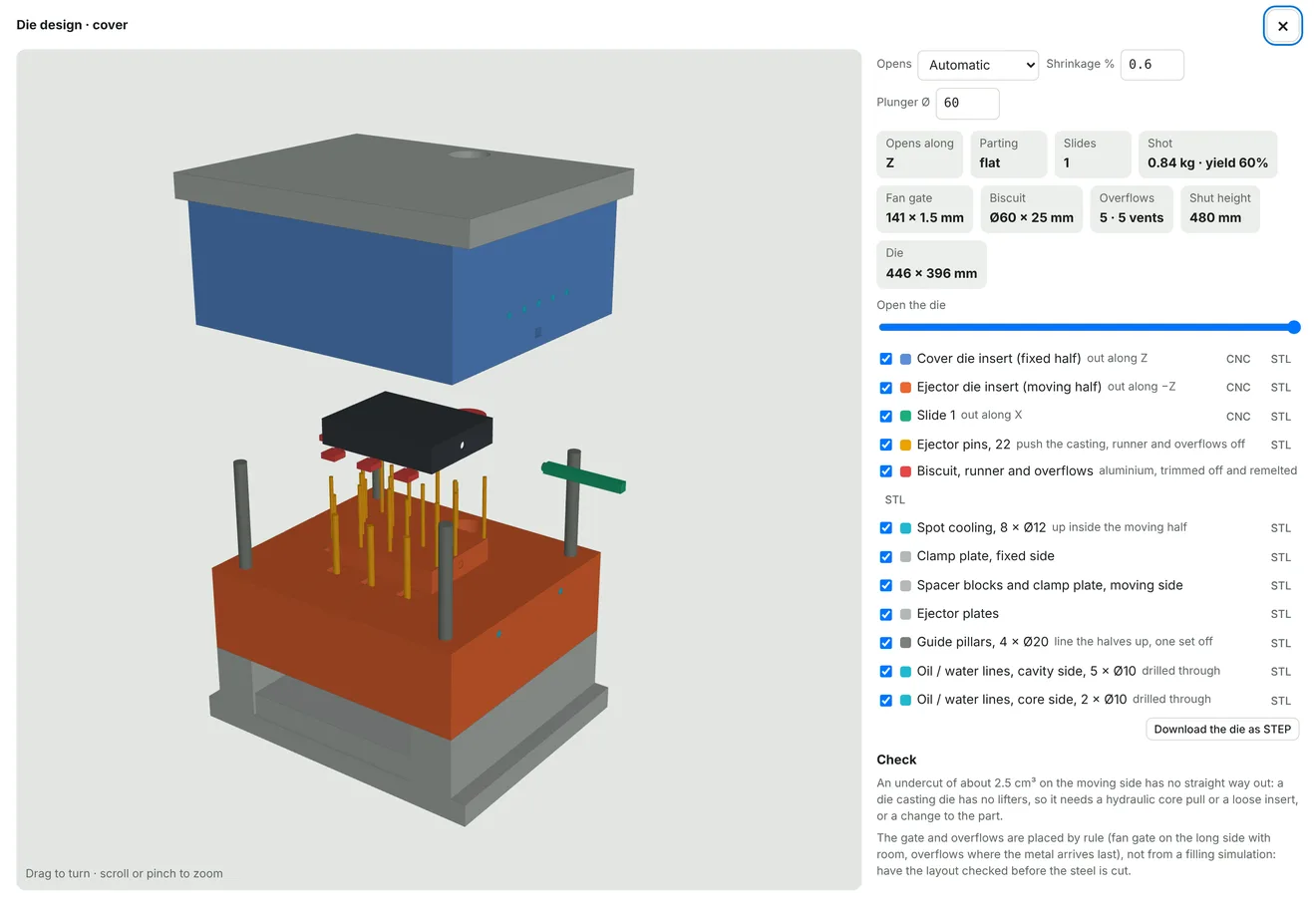
Tooling you can see, priced with the part
Injection moulds
Cavity, core, slides, lifters, ejector pins and cooling are designed from the part and download as a STEP assembly. Draft and undercuts are checked first.
Sinker EDM, priced
Sharp internal corners a cutter cannot reach become EDM burns, with electrodes designed and the hours added to the mould price.
Die casting
Projected area, locking force and machine size, then the die with biscuit, runner, fan gate and overflows, and the cost per casting.
Investment and sand casting
Wax patterns, wax dies, tree layout and ceramic cores for investment casting. Patterns, cores and core boxes, or a printed mould, for sand casting.
Vacuum casting, MIM, blow moulding
Silicone moulds with sprues and risers for vacuum casting. MIM priced from the green part to sintering. Bottles, cans and tanks priced for blow moulding.
Thermoforming
The forming tool is designed male or female with vacuum holes, sheet and cycle are priced, and the trimming is planned.
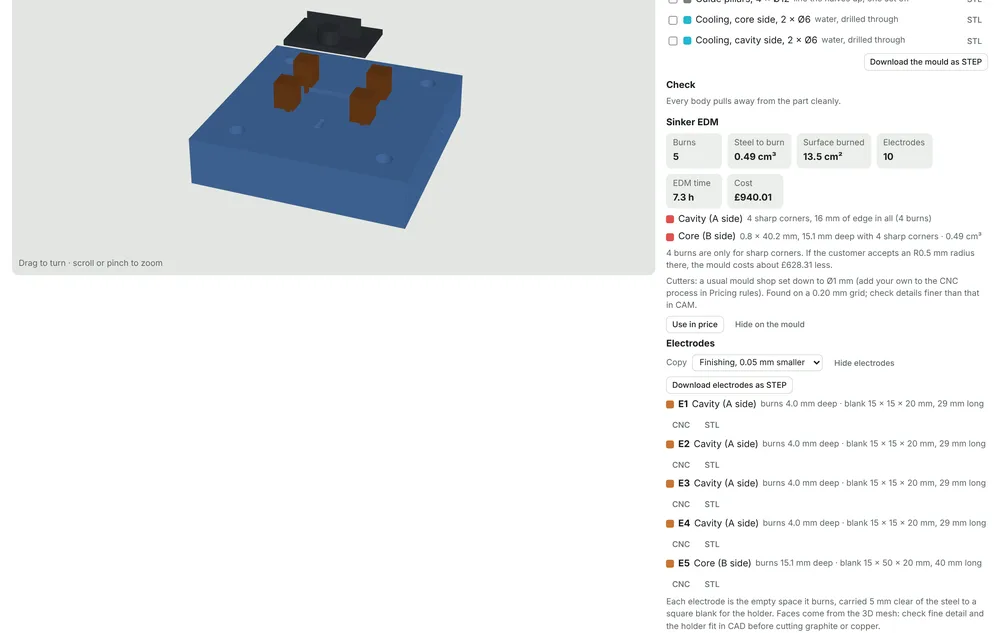
Electrodes, designed for you
Where the mould needs a sharp corner, the app finds the burns, designs an electrode for each one and adds the EDM hours to the tool price. Electrodes download as STEP or STL for your CAM.
- Burns, depth and surface listed
- Finishing copies, a set amount smaller
- Into the price with one click
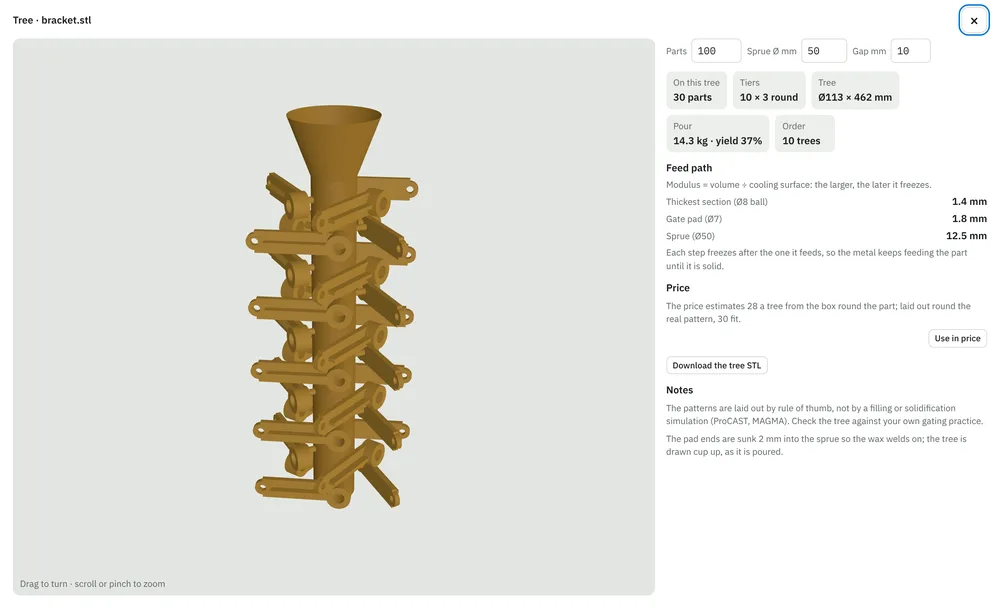
Trees laid out for the pour
For investment casting, the app lays the wax patterns out on a tree, checks the feed path from thick to thin, and prices the metal, the shell and the trees the order needs.
- Mixed trees with several parts
- Pour weight and yield per tree
- Tree downloads as STL
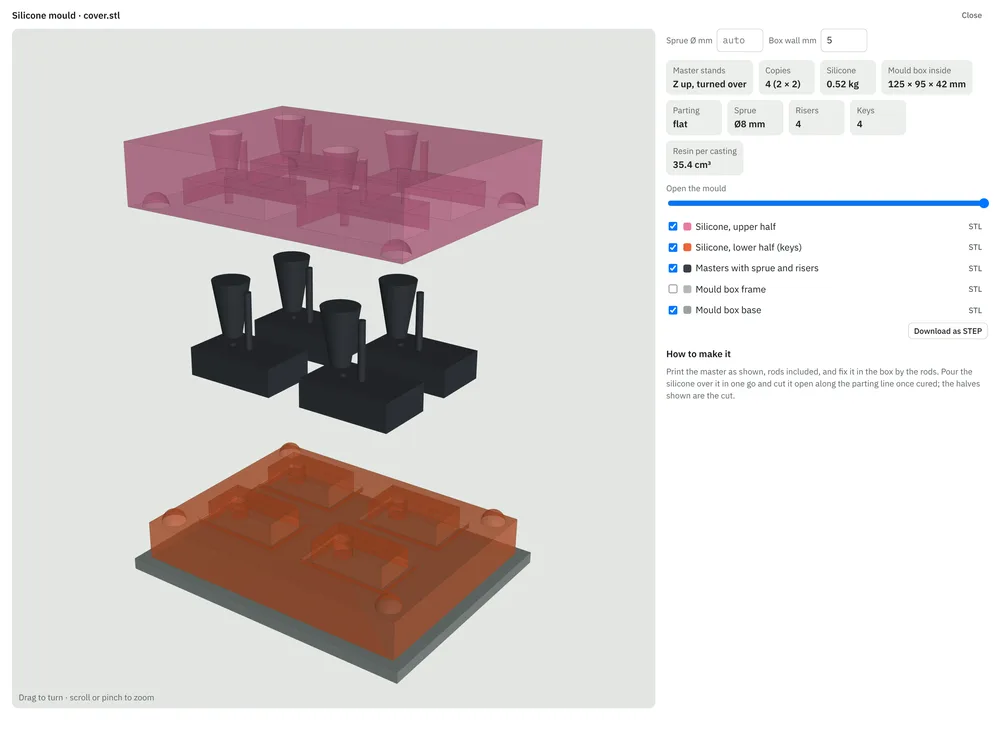
Silicone moulds for short runs
For vacuum casting, the masters are laid out with sprues, risers and keys, and the silicone, resin and mould life go into the price of each casting.
- Several copies in one mould
- Parting line and keys placed
- Mould box downloads as STEP
From the file to the invoice
- Drop in the STEP or STL fileThe part is measured and checked for draft, undercuts and wall thickness on upload.
- Check the price and sendChange material, quantity or margin, or ask the AI to do it in one sentence. The quote goes out as a PDF and a portal link.
- Make it in-house or outsource itSend a purchase order to a supplier from the same quote when the part is not for your own machines.
- Check, ship and invoiceQuality checks, delivery note and invoice from the same order. It connects to your QuickBooks or Xero account.
See it on your own moulded or cast parts
Send us a few STEP files and tell us how you make them. We will quote them live with you on a demo call.
Part of the Sales module, from €300 a month. See pricing
Also from NeuroParts: CNC machining · Sheet metal · MJF · Pricing