A sheet metal price you can explain
Cut length and pierces
From a DXF or the unfolded 3D part, the app measures the cut length and counts the pierces, so laser time follows the real outline.
Flat patterns on your sheets
Flat patterns are nested on your stock sheet sizes, small parts inside the holes of big ones, so the quote knows how many sheets it needs and what is left over.
Punch hits and forms
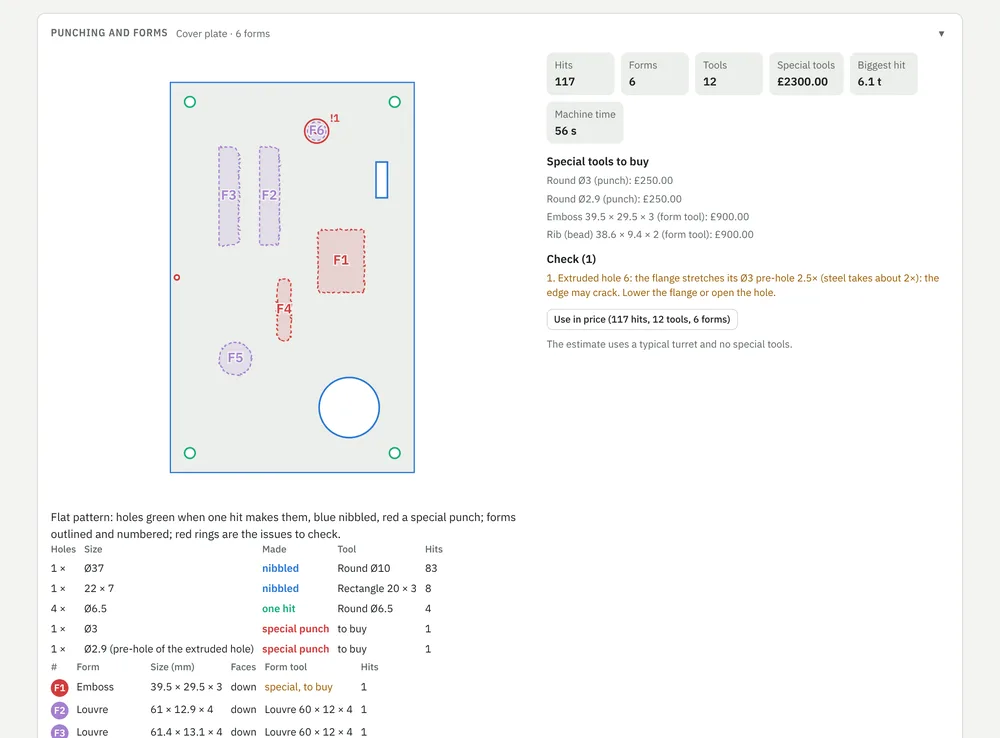
Holes are matched to your turret tools: one hit, nibbled, or a special punch to buy. Louvres, dimples, embosses and extruded holes are found as forms.
Press brake tools
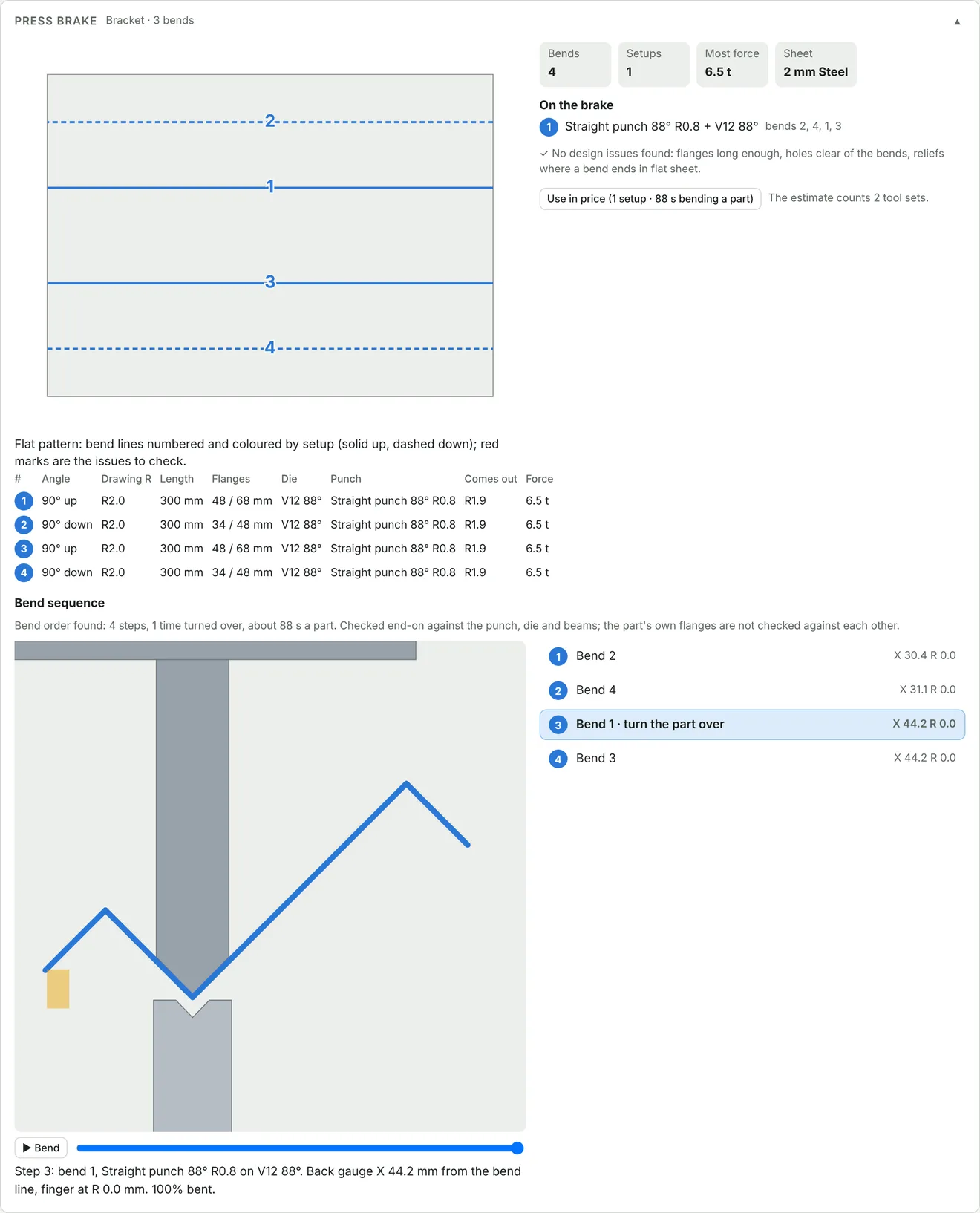
Each bend gets a punch and die from your tool list, with the force it needs and the flange length checked.
Bend sequence
The bend order is worked out and played end-on against the punch, die and beams, with the back gauge for every step.
Design checks
Holes too close to a bend, bends with no relief, flanges too short, extruded holes that may crack: marked on the flat pattern before you quote.
Punching and forms, with the tools to buy
Every hole and form on the flat pattern is matched to your turret. The quote shows the hits, the machine time and any special tool you would have to buy, so you can price it or ask the customer to change the part.
- Holes coloured by how they are made
- Special tools priced once per order
- Forms shown in 3D on the part
- Into the price with one click
When the part hits the punch
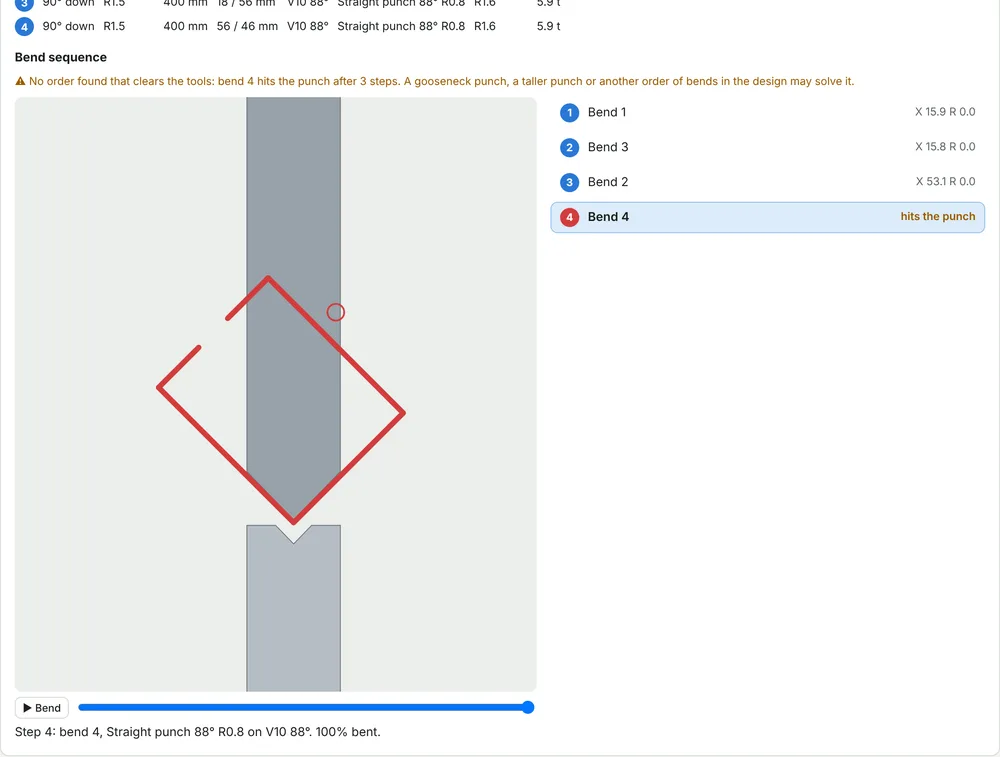
Bends are played through one by one. If a flange would hit the punch, the step turns red and the app tells you what could solve it: a gooseneck punch, a taller punch or another order of bends.
- Setup sheet PDF for the operator
- Back gauge position for each bend
- Setups counted in the price
From the file to the invoice
- Drop in the DXF, STEP or STL fileThe part is unfolded and measured on upload.
- Check the price and sendChange material, quantity or margin, or ask the AI to do it in one sentence. The quote goes out as a PDF and a portal link.
- Make it in-house or outsource itSend a purchase order to a supplier from the same quote when the part is not for your own machines.
- Check, ship and invoiceQuality checks, delivery note and invoice from the same order. It connects to your QuickBooks or Xero account.
See it on your own sheet metal parts
Send us a few DXF or STEP files and your tool list. We will quote them live with you on a demo call.
Part of the Sales module, from €300 a month. See pricing
Also from NeuroParts: CNC machining · Moulding and casting · MJF · Pricing